

ZForge
From SAP user story to code, with your team in control.
ZForge helps your team clarify requirements, agree design decisions and generate functional specifications, technical designs, code and unit test cases. Decisions stay with the object, giving everyone the context to review and refine the work.
Five stages. Your team involved throughout.
Start with a user story and acceptance criteria. Use AI to develop the detail, then review the decisions and deliverables at each stage.
-
01
Clarify the requirements
- What ZForge does
- Reads the user story and acceptance criteria, identifies gaps and proposes design questions with recommended answers and SAP context.
- What your team does
- Consultants and business stakeholders review the questions, agree the answers and record the decisions.
- What you get
- A set of design decisions that informs the specification, code and test cases.
-
02
Generate the functional specification
- What ZForge does
- Drafts the functional specification using your project’s template, covering business requirements, scope, functional design and error handling.
- What your team does
- The functional consultant reviews the draft with the business and resolves questions that need further input.
- What you get
- A functional specification in Word.
-
03
Develop the technical design
- What ZForge does
- Uses the functional specification to draft the technical design, including objects, enhancement points, data models and implementation logic.
- What your team does
- The developer reviews the approach, resolves technical questions and refines the design.
- What you get
- A technical design document in Word.
-
04
Generate and review the code
- What ZForge does
- Generates the implementation from the technical design using your project’s naming conventions and coding guidance.
- What your team does
- The developer reviews and adjusts the code in the workspace, then takes it into the SAP environment for validation and testing.
- What you get
- Code for ABAP, RAP, CAP or CPI development.
-
05
Prepare the unit test cases
- What ZForge does
- Derives positive, negative and boundary test cases from the acceptance criteria and recorded design decisions.
- What your team does
- The developer checks coverage and refines the cases before running tests in the target environment.
- What you get
- Unit test cases in Excel.
Keep the work connected
One workspace for decisions and deliverables
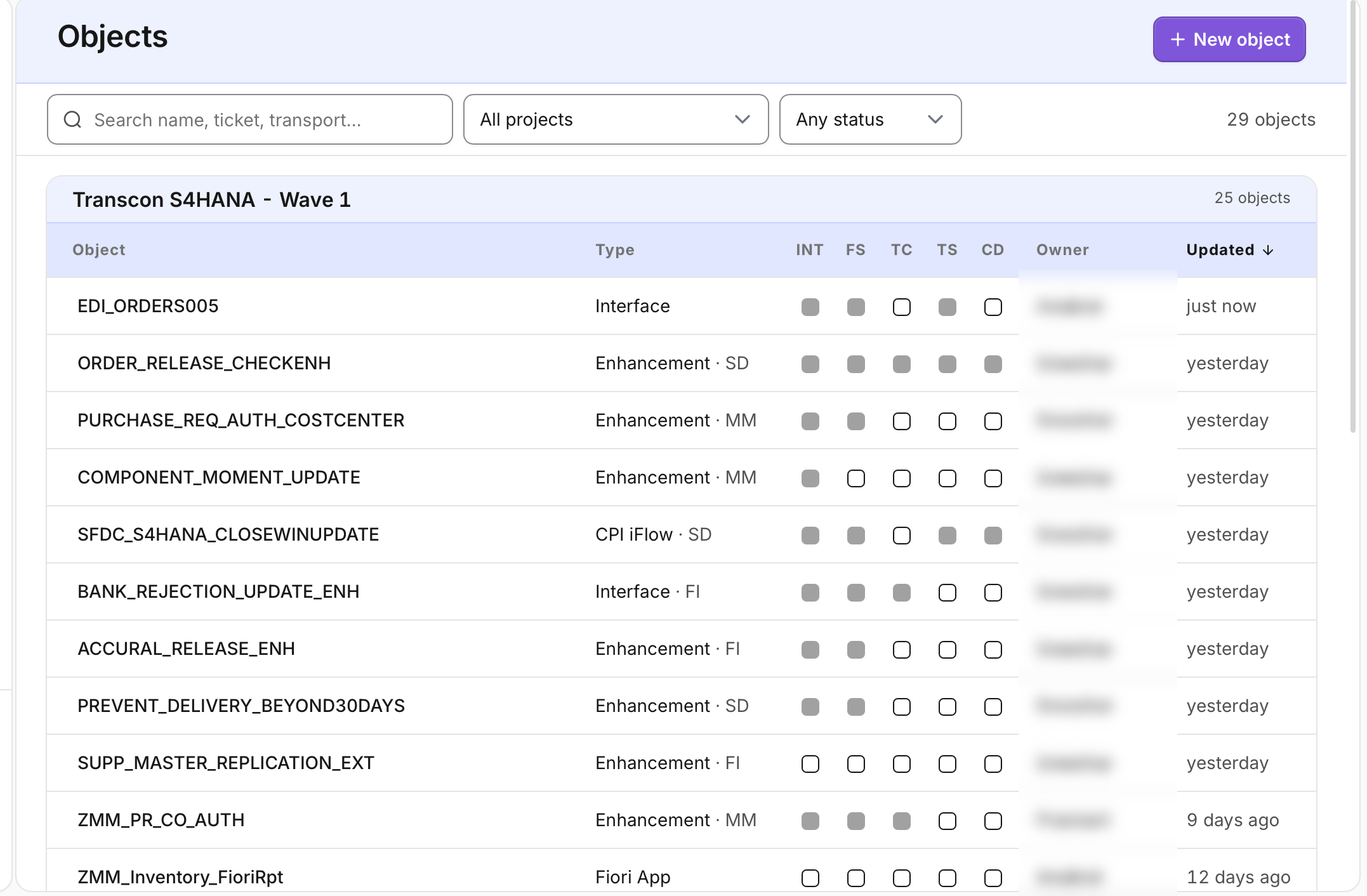
Keep each object’s requirements, design decisions, specifications, code and test cases together. Track progress across the project and open an object to review the detail.
Your work stays yours
Your stories, specifications and generated code belong to you. We don’t use your data for training, and you can request its export or deletion.
See ZForge work through your user story
Bring a user story from your SAP backlog, including any incomplete requirements or open questions. We’ll show how ZForge helps clarify the design and generates specifications, code and unit test cases from the decisions you make.